
WordPress integration
To collect analytics from a WordPress website, you should use the Insert Headers And Footers plugin and add Page Actions' script tags.
Install plugin
- Open the WordPress admin dashboard.
- Go to Plugins and then Add Plugin.
- Search for a plugin called
Insert Headers And Footersfrom Adnan and install it. - Activate the plugin.
Add script tags
- Open Settings in the WordPress admin.
- Then choose WP Headers and Footers from the sidebar.
- Paste the installation code for the script tag from your Page Actions' dashboard settings into the Scripts in Header text input.
- Click Save Changes to confirm.
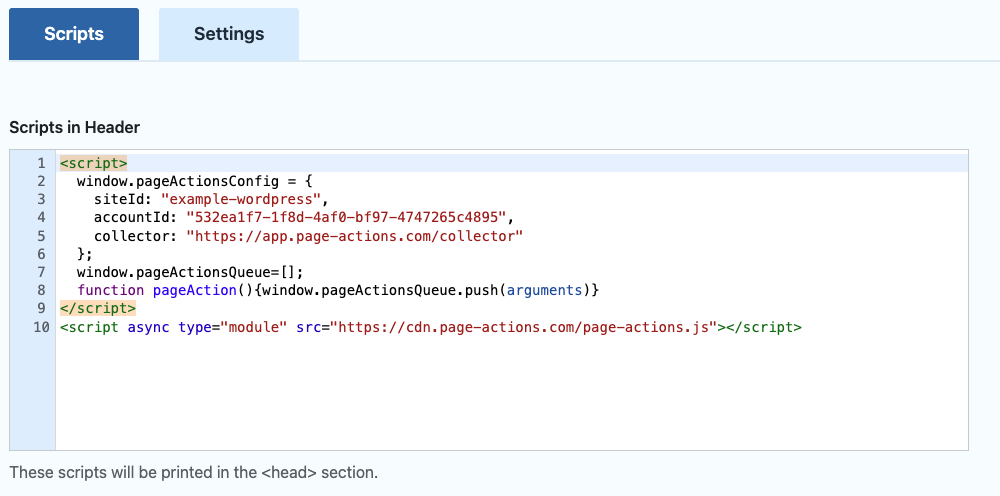
That's it. When you visit your website, the page views will be reported to the Page Actions.